What is SolidWorks design checker to do with AI? In first sight nothing and title may look like average clickbait and expect „AI slop“ inside.
But actually there is a more.
Design checker is tool in “Professional” bundle. This is simple tool what makes some quality checks. Limitation is that tool is able to look only active document and problems this can handle are pretty primitive. And when company has templates in place then running tool is waste of time.
You can look you favorite search engine and resellers are done nice job to show how this is working.
Where is AI?
Adding AI into title has reason. There is one specific task inside task scheduler “Custom task”.
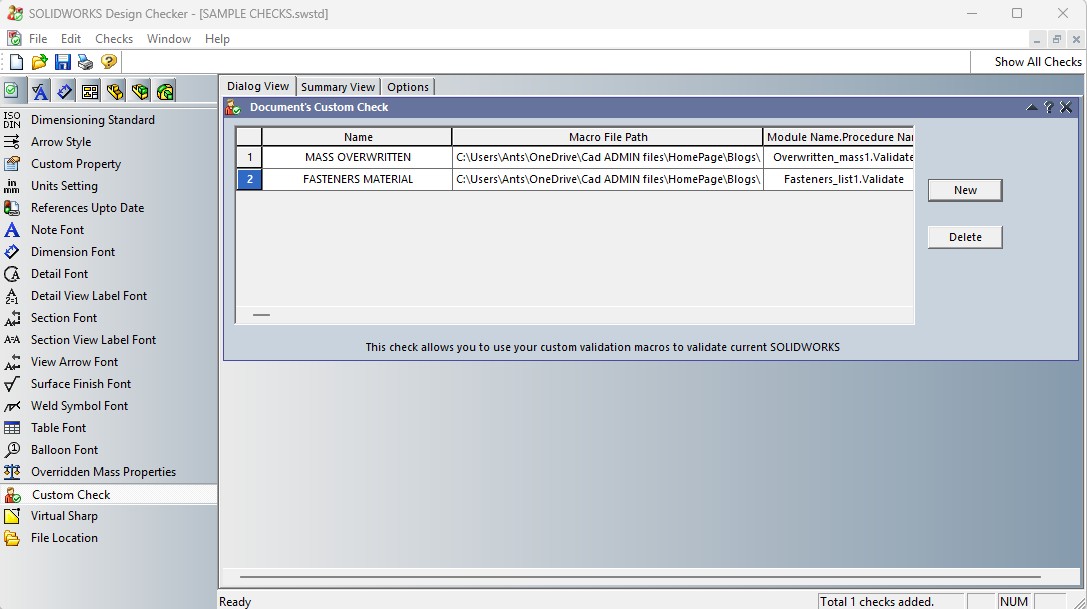
Custom task can be written in VBA and can do much more than predefined tasks. Today you can declare your wish to Chatbot and you are getting working code what add your company checks into design checker. You can believe that AI tools are writing today working code!
Some example problem to resolve:
- Long time ago there were one typo in toolbox configuration, and some regular fasteners have stainless steel material definition.
Task to AI: Create SolidWorks design checker task, what look all components in assembly and return only one what have A2 or A4 and Zn or HDG in fail name. - When some fasteners are accidentally without surface protection:
Create SolidWorks design checker task, what look all components in assembly and return only one what have “Plain” in fail name, ignore weld nuts, contain “DIN 929” in fail name. Plain is defining fasteners without surface.
Make list of files with external references what are not broken or locked.
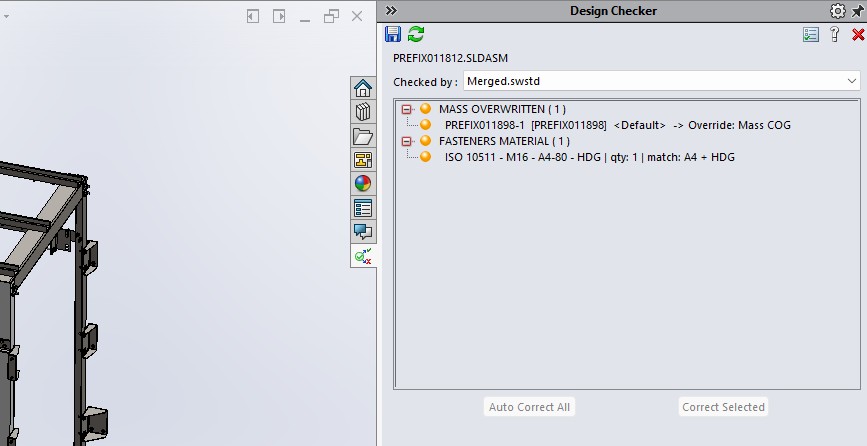
These custom task can be run from assembly level what makes pretty easy to find issues when you check your work.
Practically you can run all these control scripts as separate macros or series of macros. However it is nice to put all into existing tool and make this much more usable that this is today. Save your time to something more sensible than racing against machines.
Here are sample design checker macros:
- Search external references what are not locked or broken
- Check fastner materilas and surfaces
- Search component in assemble with overwritten mass
- Look “plain fasteners”
Some files look only file which name is start with “PREFIX”. See inside code.
Macros are as is and thanks for all who “teached” AI with their code.